Linear Filtering
The convolution functions use linear combinations of neighboring pixels to highlight some features in an image.
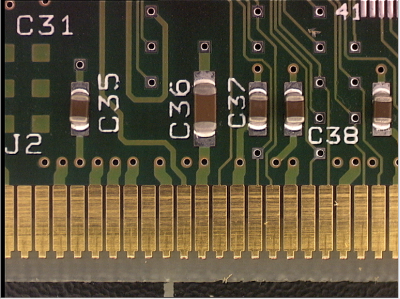
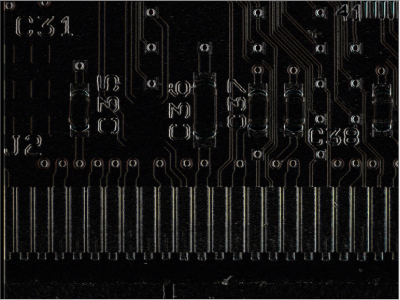
A gradient X filter source and the destination image
|
●
|
All the convolution functions can be destructive, meaning that the destination image overwrites the source image. |
|
□
|
These destructive operations are faster. |
|
●
|
Most of these functions have an EImageBW8, an EImageBW16 and an EImageC24 equivalent. |
|
●
|
Open eVision offers 2 ways of doing convolutions: |
|
□
|
Use a predefined method with a predefined filter, and in some cases, a kernel size. |
Predefined filters
The available predefined filters are:
Customized EKernel
When you use your own kernel:
|
●
|
You can choose the width and height of the kernel. |
|
●
|
Open eVision automatically normalizes the kernel coefficients so that their sum is 1. |
|
□
|
If you define a Gain (multiplying all resulting pixels by that value) and an Offset (adding that value to all resulting pixels), they are applied after that normalization. |
|
□
|
Note that using any gain other than 1 can lead to a saturation in the resulting image and an overflow or an underflow during the internal calculations. |
|
●
|
To rectify any value (to keep only the positive ones for instance), set an EKernelRectifier. |
|
●
|
The outside value is used for the border calculations (when the kernel needs values from out of the image on the border of the image to compute the result). |
|
●
|
Another way to create a kernel is by giving the constructor an EKernelType. This is quite similar to the way of doing a convolution with a predefined filter. |
|
2
|
The following tutorial illustrates an application using a custom EKernel in Open eVision Studio: Enhancing an X-ray image. |